
Packaging2536 × 2793 px
Launch deal: Lifetime access for $39. Pay once, get every future template and update free. See pricing
PROFIGMA
Projecting Blade Sign, Version 1 Mockup
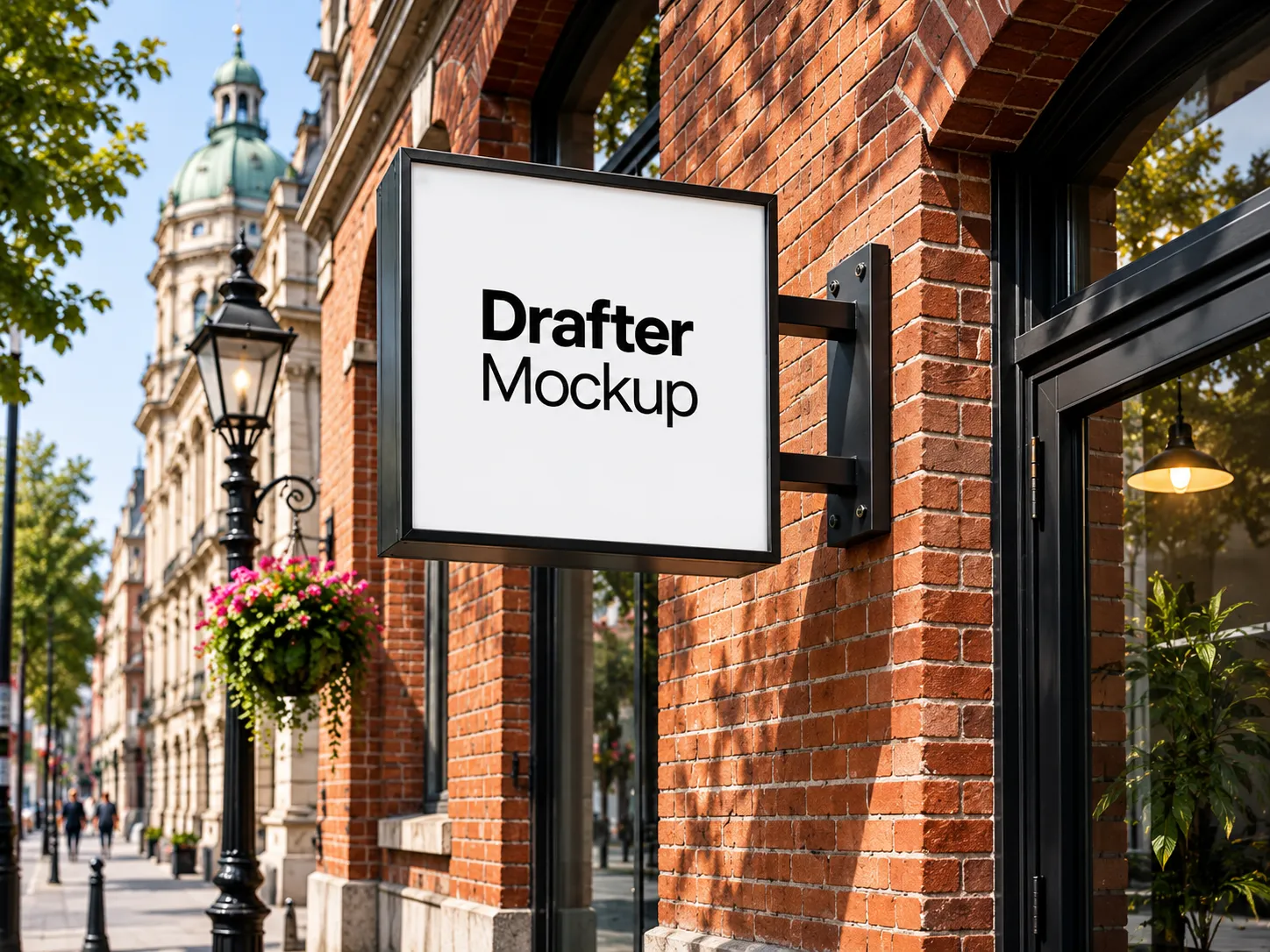
A square blade sign projecting from a brick wall on a historic shopping street.
Included in Pro and Lifetime. Opens in your browser, no download needed.
- Image size1448 × 1086 px
- TypeStreet signage
- OrientationLandscape
- FormatHigh resolution photo in Figma
- UsePlace your logo or poster on the sign
- Figma pageMockup
- PlanPro or Lifetime
- LicensePersonal and commercial
With an agent: connect the Drafter MCP and ask Claude to run
get_figma_link with id mockups-34, duplicate the file, then customise it with Figma MCP. Guide: Brand mockups for Figma: billboards, signage, storefronts and packaging.How to use it
- 01Open in Figma
Log in and press Open in Figma. The template opens on its own page in the Drafter Studio file.
- 02Duplicate it
In Figma, open the file menu and choose Duplicate to drafts. Your copy is yours to edit.
- 03Place your artwork
Paste your logo or poster over the blank sign, pack or screen, fit the corners to the surface, then export the frame as PNG or JPG.
About the Projecting Blade Sign, Version 1 Mockup template
Projecting Blade Sign, Version 1 Mockup is a Pro photo mockup for Figma, made for showing a logo or campaign in a real scene, such as a billboard, shop sign, package or phone. A square blade sign projecting from a brick wall on a historic shopping street.
Use it as a photo mockup in a brand presentation or case study. Inside: image size: 1448 × 1086 px; type: Street signage; orientation: Landscape; format: High resolution photo in Figma; use: Place your logo or poster on the sign.
Projecting Blade Sign, Version 1 Mockup questions
Is the Projecting Blade Sign, Version 1 Mockup template free?
Projecting Blade Sign, Version 1 Mockup is part of Pro ($19 a month) and Lifetime ($39 once, with every future template). Everyone can see the full previews, and Pro or Lifetime members can open and duplicate the Figma file.
What size is Projecting Blade Sign, Version 1 Mockup?
1448 × 1086 px. Full details: image size: 1448 × 1086 px; type: Street signage; orientation: Landscape; format: High resolution photo in Figma; use: Place your logo or poster on the sign.
Can I use Projecting Blade Sign, Version 1 Mockup for client work?
Yes. Every plan includes personal and commercial use, including client projects. Reselling the template files is not allowed.
Can Claude or another AI agent customise Projecting Blade Sign, Version 1 Mockup?
Yes. Connect the Drafter MCP server and Figma MCP, then ask the agent to run get_figma_link with id mockups-34, duplicate the file and apply your brand.