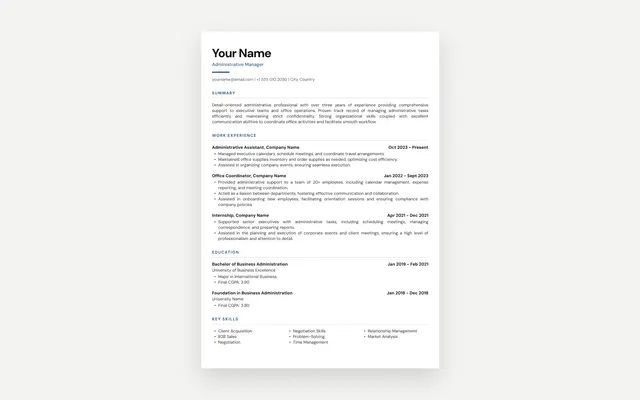
Coral Creative CV
Coral initials badge, skill bars and a two column body.
Included in Pro and Lifetime. Opens in your browser, no download needed.
- Pages1 page
- SizeA4, 595 × 842 pt
- EditingAuto layout entries and real lists
- ExportPDF ready
- Figma page13 · CV Templates
- PlanPro or Lifetime
- LicensePersonal and commercial
get_figma_link with id resume-templates-08, duplicate the file, then customise it with Figma MCP. Guide: Portfolio website templates for designers: Figma files plus HTML code.How to use it
- 01Open in Figma
Log in and press Open in Figma. The template opens on its own page in the Drafter Studio file.
- 02Duplicate it
In Figma, open the file menu and choose Duplicate to drafts. Your copy is yours to edit.
- 03Make it yours
Change the colour variables and text styles, replace the sample copy and images, then export.
About the Coral Creative CV template
Coral Creative CV is a Pro resume templates template for Figma, made for applying for design, marketing and creative roles with a clean one page CV. Coral initials badge, skill bars and a two column body.
Use it as a resume or CV. Inside: pages: 1 page; size: A4, 595 × 842 pt; editing: Auto layout entries and real lists; export: PDF ready.
Coral Creative CV questions
Is the Coral Creative CV template free?
Coral Creative CV is part of Pro ($19 a month) and Lifetime ($39 once, with every future template). Free accounts can use the free resume templates.
What size is Coral Creative CV?
A4, 595 × 842 pt. Full details: pages: 1 page; size: A4, 595 × 842 pt; editing: Auto layout entries and real lists; export: PDF ready.
Can I use Coral Creative CV for client work?
Yes. Every plan includes personal and commercial use, including client projects. Reselling the template files is not allowed.
Can Claude or another AI agent customise Coral Creative CV?
Yes. Connect the Drafter MCP server and Figma MCP, then ask the agent to run get_figma_link with id resume-templates-08, duplicate the file and apply your brand.