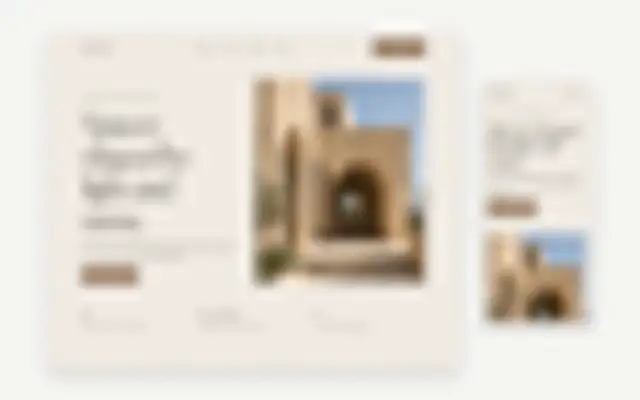
Stoa Architecture Portfolio
Architecture and interiors studio site in warm stone: large project photos, services, process, awards and notes.
Included in Pro and Lifetime. Opens in your browser, no download needed.
- PagesHome and project
- BreakpointsDesktop 1440 and mobile 390
- CodeResponsive HTML of the home page
- FontsManrope, Fraunces
- EditingAuto layout sections and image fills
- Figma page12 · Portfolio Templates
- PlanPro or Lifetime
- LicensePersonal and commercial
get_figma_link with id portfolio-templates-05, duplicate the file, then customise it with Figma MCP. Guide: Portfolio website templates for designers: Figma files plus HTML code.Inside the template


Launch it as a real website
One responsive HTML file built straight from this Figma design: real text, Google Fonts, images and mobile layout. Copy it, open it in any editor, or give it to Claude with the prompt below and get a live site in minutes.
Included in Pro and Lifetime. Desktop and mobile in one file, no build step.
- Copy the HTML.
- Paste it into Claude with this prompt.
- Claude edits it and deploys it, for example with the Vercel connector.
This is my portfolio website as one HTML file, made from the Stoa Architecture Portfolio template by Drafter Studio.
1. Change the name, intro, projects, links and contact details to mine: [paste your details].
2. Replace every image URL with my own images: [paste image links or attach files].
3. Keep the layout, spacing and fonts. Make sure it still works on mobile.
4. Deploy it to Vercel as a static site and give me the live link.
[paste the HTML here]Want to change the design first? Connect Figma MCP and ask Claude to edit the Figma frame, then copy the code again. Step by step guide
How to use it
- 01Open in Figma
Log in and press Open in Figma. The template opens on its own page in the Drafter Studio file.
- 02Duplicate it
In Figma, open the file menu and choose Duplicate to drafts. Your copy is yours to edit.
- 03Make it yours
Change the colour variables and text styles, replace the sample copy and images, then export.
About the Stoa Architecture Portfolio template
Stoa Architecture Portfolio is a Pro portfolio templates template for Figma and HTML, made for launching a designer or developer portfolio website you can edit in Figma and deploy as HTML. Architecture and interiors studio site in warm stone: large project photos, services, process, awards and notes.
Use it as a portfolio website. Inside: pages: Home and project; breakpoints: Desktop 1440 and mobile 390; code: Responsive HTML of the home page; fonts: Manrope, Fraunces; editing: Auto layout sections and image fills.
Stoa Architecture Portfolio questions
Is the Stoa Architecture Portfolio template free?
Stoa Architecture Portfolio is part of Pro ($19 a month) and Lifetime ($39 once, with every future template). Free accounts can use the free portfolio templates.
Can I use Stoa Architecture Portfolio for client work?
Yes. Every plan includes personal and commercial use, including client projects. Reselling the template files is not allowed.
Can Claude or another AI agent customise Stoa Architecture Portfolio?
Yes. Connect the Drafter MCP server and Figma MCP, then ask the agent to run get_figma_link with id portfolio-templates-05, duplicate the file and apply your brand. For the website, get_template_code returns the responsive HTML.